
Managing Legacy Customers
With the introduction of support periods, customers who purchased your product prior to support periods being introduced are categorized as legacy customers. If you apply support periods to your product, these customers will be unaffected. The way you choose to manage customer support and future updates for these customers is entirely up to you. Here we have some consideration which may be helpful when determining your best path forward for these customers.
You will be able to identify legacy customers reaching out for support by their support periods status, which will be listed as "Not Enrolled"

How to offer legacy customers extended access to updates and support
To ensure your product can include a Support Period for future customers while giving legacy customers indefinite access to updates and support, you must ensure your product uses Variations.
If your product already uses variants
On the Variations tab of the product edit screen:
- Select your original variant you would like to maintain for legacy customers and set the variant Status to Disabled. This will remove the variant from the product page and hide it from future customers. TIP: You can also update the legacy variant’s title to include something like “(LEGACY)” to differentiate itself from its replacement. Note that this updated title will display to legacy customers on their Order Pickup page.
- Next, uncheck the box “Include Support Period.” This will ensure that no gatekeeping around file access will take place for customers of this variant.
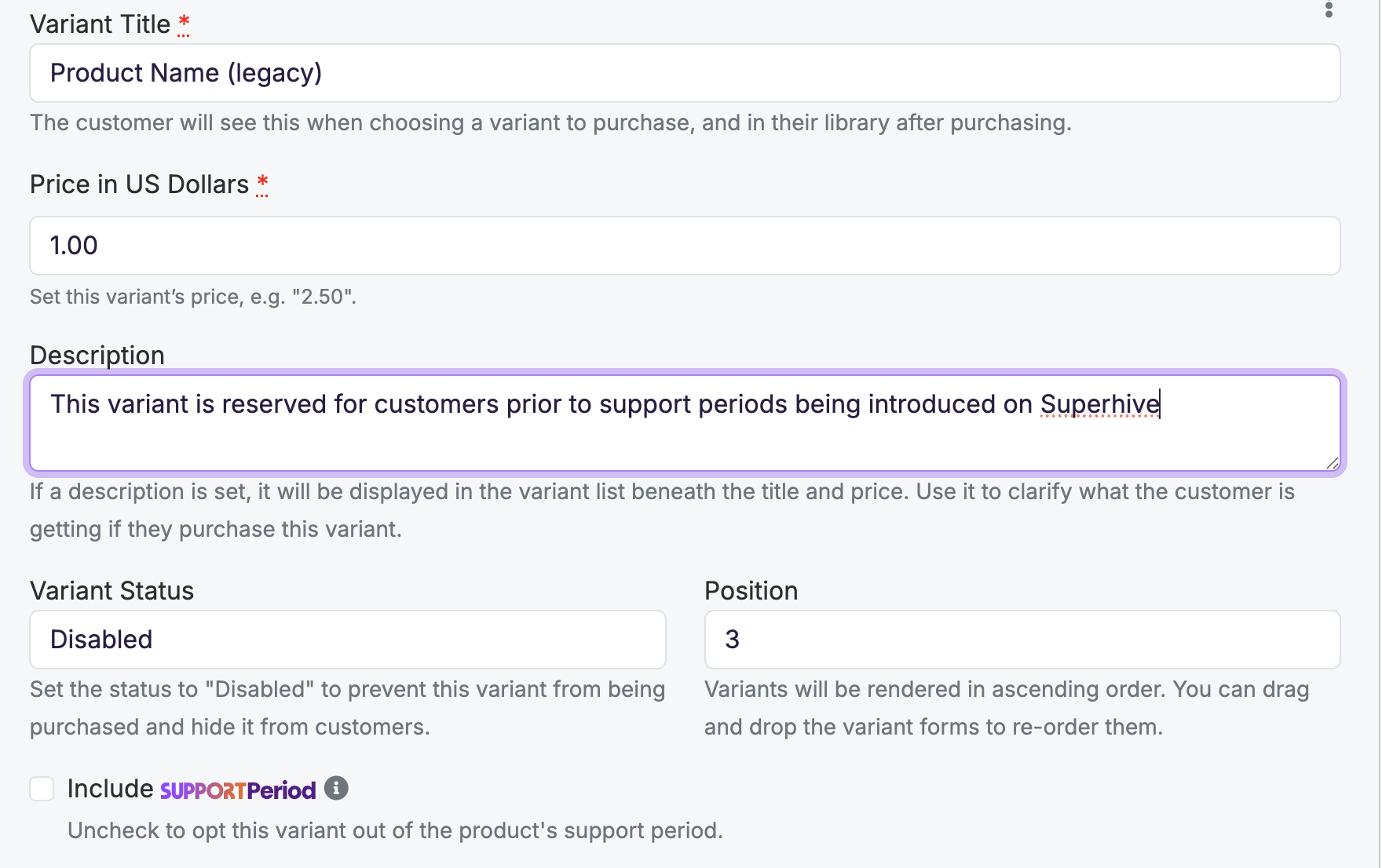
- Create a New Variant to take the place of the one you just disabled. This will be the new variant presented to customers going forward. Fill out all the relevant details in the variant and check the box to Include Support Periods.
- Repeat steps 1-3 for any other variant on your product.
After your product’s variations have been revised, you can now provide product updates to legacy customers by uploading new files to the legacy variant in addition to adding updated files to the new variant that took its place.
If your product DOES NOT already utilize variants
If you would like to split your legacy customers to their own cohort using variants as described above, you will need to take the extra step to migrate your existing customers to the newly created variant, then follow the steps above. Here is more information on how to add variants to your product.
Offer legacy customers a grace period before ceasing updates and support
Superhive does not offer a way to implement a grace period based on the legacy customer’s purchase date. However, you can offer a blanket grace period to legacy customers by communicating to your customers how long you will continue to offer them the benefits of a support period (i.e “updates and support will continue to be offered to all existing customers until June 1, 2028”).
Ensure that all relevant variants are setup or disabled, and continue to provide updated files to that variant and offering support to those customers until the date you communicate. After the grace period is over, you can then update only the active variants with support periods included.
Offer coupon codes for purchasing your variant with support periods included
Since legacy customers are segmented separately from customers who purchase after the introduction of support periods on Superhive, they do not automatically see your discounted rate for purchasing support periods. This is intentional to allow you to manage these customers as you see fit.
One option would be to offer these customers a coupon code to purchase your product which is now available with support periods at a discount. This will convert those customers to the product with twelve months of support and updates included at that time of their purchase with the coupon code. You can share coupon codes via your creator email and target customers of a particular product or all customers who have purchased from your shop.