
Migrating existing product files to asset libraries
If you have years of products on Superhive, you don't have to re-upload anything. From a product's files section, choose Migrate to Blender Assets. This lets you migrate existing product files to the asset system. This works best if the assets are already marked in Blender.

From the migration wizard page you can choose any number of existing files and then tell us how to detect the assets and where to put those assets post-migration:
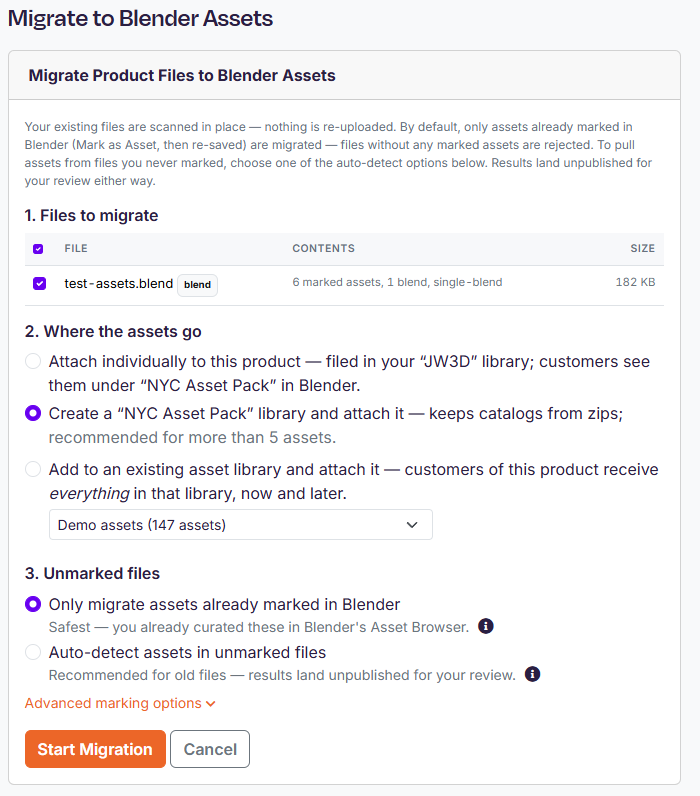
You choose where the assets land, with options being your default library, a new library named after the product, or an existing library. You also decide whether we should try to detect assets in files that were never marked. We strongly encourage you to pre-mark your assets, but if you're migrating legacy files that pre-date the Asset Browser then you can migrate assets by collection, by object, or by grouping objects that touch.
After the migration is run you'll can watch the progress in real time or come back and check on it later. The larger the files the longer it'll take. Most migrations complete in no more than a few minutes, but 10+ minutes isn't unreasonable for multi-gig files.
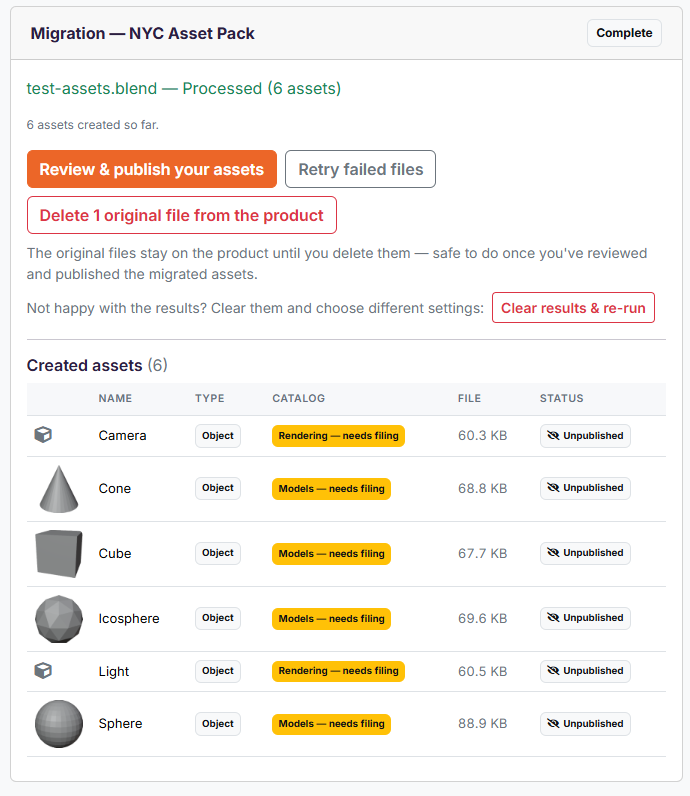
Once you're happy with the results you can publish the assets and delete the original file.