Adding Superhive as a Remote Asset Library
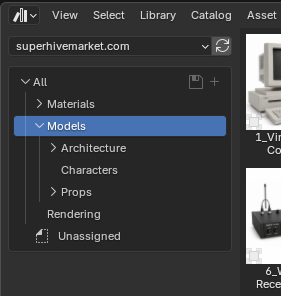
As of August 2026 you can now add Superhive as a Remote Asset Library in Blender, such that any compatible asset library you've acquired is available to access directly in Blender!
Workstation URLs
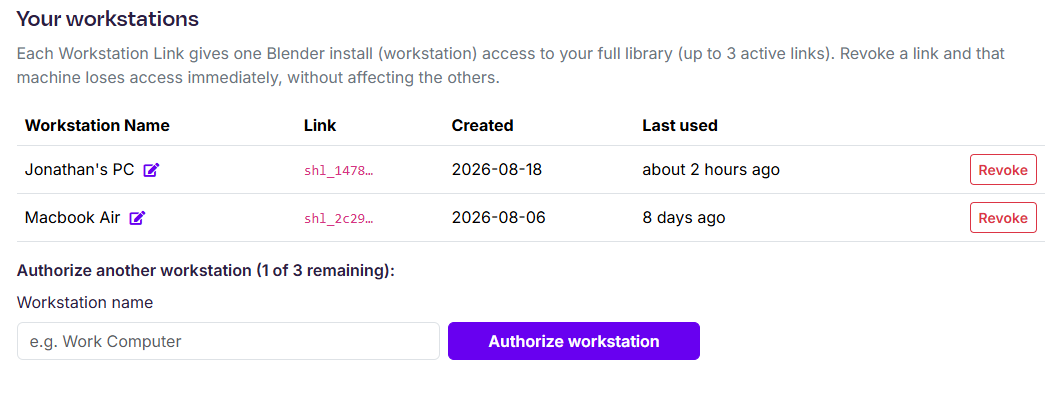
As a customer of Superhive you may authenticate up to three computers in order to retrieve your asset libraries directly within Blender's asset browser.
Workstation URLs can be created (and revoked) at /account/assets. Each URL should get named and all asset requests will be logged against that URL. Under the hood we keep track of all asset requests per URL and automatically detect anomalies, such as over-sharing or other abuse. Treat your workstation URLs like passwords, keep them private!
 Connecting Blender
 Connecting Blender
After you've created a workstation URL you'll be prompted to copy the URL as it'll only be shown once. From there you can switch to Blender and navigate to the Preferences > Asset Libraries and add a new Remote Asset Library:
 On the next step simply paste the URL and click Create.
All of your entitled assets, those you've created and those you've purchased, will now stream into Blender's Asset Browser.