
How and When Creators Are Paid
When Are Creators Paid?
New creators: earnings wait 30 days until your first payout
If you've just opened your shop, each sale waits 30 days before it becomes payable. This covers the refund window, so a sale that gets refunded doesn't have to be clawed back from a payout you've already received. Your Payouts page (Creator Dashboard > Payouts) explains the hold and shows how much of your balance is still inside the 30-day window.
Once your first payout has gone through, the hold ends for good and you're paid on the normal schedule described above.
If you share a product's earnings with collaborators, or affiliates refer sales of your products, their earnings from your sales wait out the same hold. Affiliates see a note about it on their Payouts page.
When payouts can be paused or held
A few other things can delay a payout:
- You changed your payout details. Payouts pause for 7 days after any change to your payout details, including setting up a payout method for the first time and bank changes made in your Stripe account, so the real account owner has time to notice a change they didn't make. Once the 7 days are up, your earnings go out with the next scheduled payout. Your Payouts page shows Your payout details changed on …, so payouts resume on …. You can keep creating and submitting products during those 7 days. See Adding and Changing Your Payout Email.
- You clicked This wasn't me. If you use the This wasn't me button in a payout-change email and click Freeze my payouts, every payout from your account stops until our team has checked with you. Your Payouts page will say Your payouts are frozen.
- A buyer opened a dispute. If a buyer disputes a charge with their bank or PayPal (a chargeback), the earnings from that order are held while the dispute is open. If the dispute is won, the earnings are released. If it's lost, the earnings are reversed: the item shows as Refunded on your Sales page and counts toward Revoked in your Earnings Report. Your other earnings are paid as normal.
For details on each of these, and what to do about them, see Payout Holds and Pauses.
How Are Creators Paid?
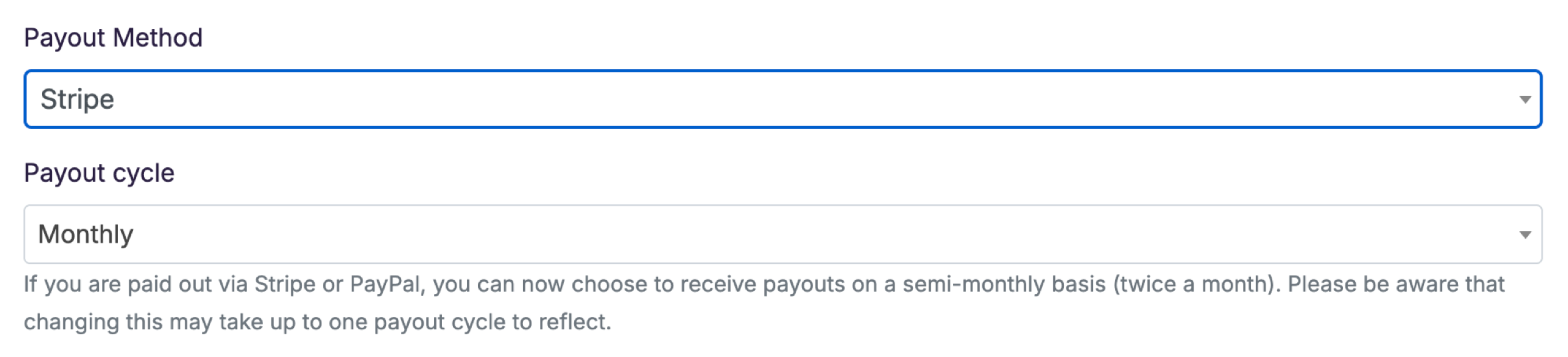
Payouts are sent via the method you have selected in the My Account section of your profile (Account > Primary Info, under Payout Method), where you can update and save your preferred payment method. Changing your payout details asks for your current Superhive password.
You need a working payout method (a completed Stripe Connect account, or PayPal) before you can submit a product for review. Until one is set up, your product's checklist stays one item short and the Submit for Review button doesn't appear. Your creator dashboard's welcome checklist includes a Set up Payouts step to remind you.
Most creators can be paid on Superhive (formerly Blender Market), but some countries and regions restrict our ability to pay through certain platforms. You can review this information if you are wondering whether you can be paid by Superhive (formerly Blender Market) and which payout method is supported in your region.
Stripe
We recommend using Stripe for your payouts for more successful payouts and less fees. After selecting Stripe as your payout method, click "Update Info" and a button will be displayed that leads you through the process of setting up your Stripe Payout account. It is a simple step by step process, but feel free to reach out to Stripe Support if you run into any issues along the way.
You will be required to enter contact information as well as connect a bank account to accept payouts in your local currency. This will be sufficient for collecting your first payout through Stripe. Soon after setting up your profile, Stripe will contact you for more information to confirm your identity and allow you to continue collecting payouts via Stripe, so keep an eye out for that request.
PayPal
Prior to choosing PayPal for your payout, you will need to have a PayPal account created. If you don't already have one, you can create a PayPal account here. Add the email associated with your PayPal account into the PayPal Email field, then update your info. You'll be asked for your Superhive password to save the change.
Additional Payout Options
If you are unable to receive payouts via Stripe or PayPal, reach out to [email protected] so we can review other options with you.