
Buying Multiple Seats of a Product
You can purchase more than one copy of a product in a single order. Set the number of seats you need on the product page, and the price updates as you go. This works the same way for individual products, product variants, and bundles.
What Is a Seat?
A seat is one license. If you are buying a product for yourself, you need one seat. If you are buying for a studio, a class, or a team, purchase one seat per person so everyone is covered under a single order.
How to Buy Multiple Seats
- Open the product page for the item and license you want.
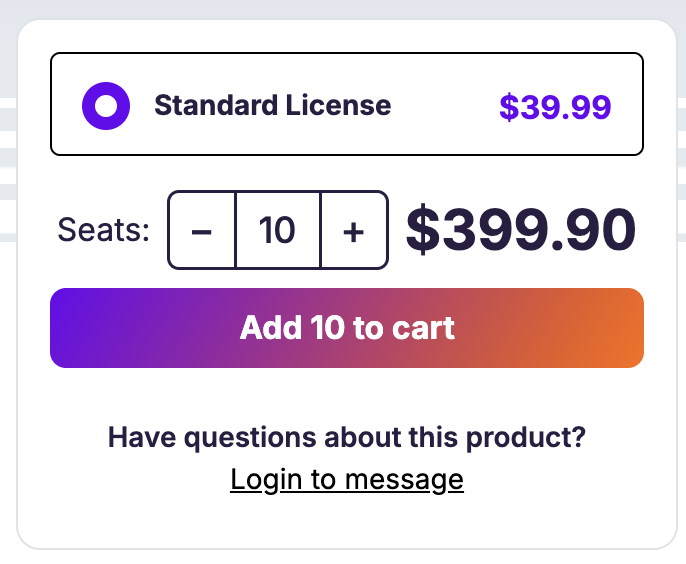
- Use the − and + buttons next to Seats to set your quantity. The total updates as you change the number.
- Click Add to cart. The button shows how many seats you are adding, so you can confirm the count before you commit.
- Check out as normal with a credit card or PayPal.
In Your Cart
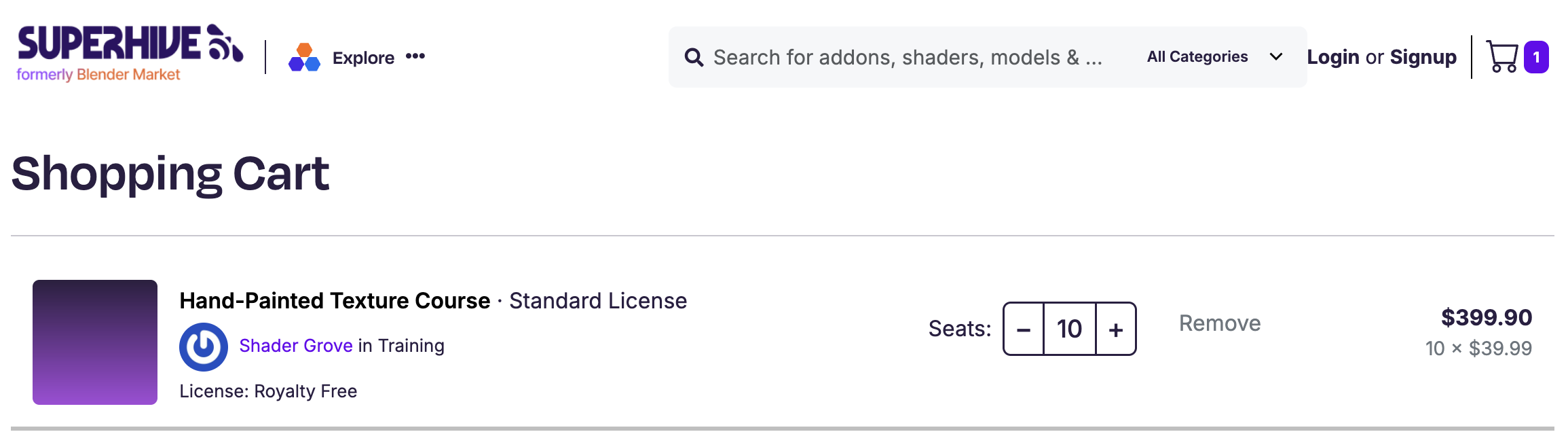
Each product has its own seat selector in your cart, so you can adjust the count right up to checkout. The line total is the per-seat price multiplied by the number of seats. For example, 10 seats of a $39.99 product is $399.90.
 On Your Order and Receipt
 On Your Order and Receipt
A multi-seat purchase normally shows as a single line on your order, with the quantity and the math, for example Qty: 4 × $85.99 = $343.96. The quantity appears on your order details, the download page, and your PDF receipt, and one download covers all of your seats. If one copy is discounted, for example with upgrade pricing, that copy appears as its own line with the rest at full price, so you may see two lines.
Discounts on Larger Orders
There is no automatic volume discount for buying more seats. The price is simply the per-seat price multiplied by the number of seats.
If you are buying in bulk, a creator may offer a coupon code for their product. Enter it at checkout the same way you would any discount code. You can also message the creator from the product page to ask about a larger order.
If a product uses upgrade pricing: Some products offer a discount when you already own a related product or an earlier version. If you come back to add more than one additional copy, the upgrade discount applies to the first new copy only. Any copies beyond that are full price, so the discount is not applied more than once.
Frequently Asked Questions
Can I refund just some of the seats I bought? No. A multi-seat purchase is refunded as a whole, so a refund applies to the full item rather than to individual seats within it. Our standard refund terms still apply.
Does this work for variants and bundles? Yes. Seats are supported on standalone products, variants, and bundles. Choose your variant or bundle first, then set the seat count.
How many seats should I buy? Buy one seat per person who will use the product. For a team of five, that is five seats, all covered under a single order.
Can I pay with PayPal? Yes. Set your seat count before you add to cart, then check out with a card or PayPal. The quantity appears on your receipt either way.
Does buying multiple seats affect a Support Period?
No. Buying multiple seats doesn’t change how a product’s Support Period works. If you come back later to add more copies, the Support Period follows the same rule as upgrade pricing: only the first additional copy is discounted, and any copies beyond that are at the standard rate.