
How to Review Products
If you have purchased a product, you can easily leave a review for it on the product page. Here's how.
How to Review Products
If you've purchased a product, you can leave a review on the product page to share your experience with the community.
Before Leaving a Review: If you are encountering a problem with a product, there are a few things you should do before leaving a review.
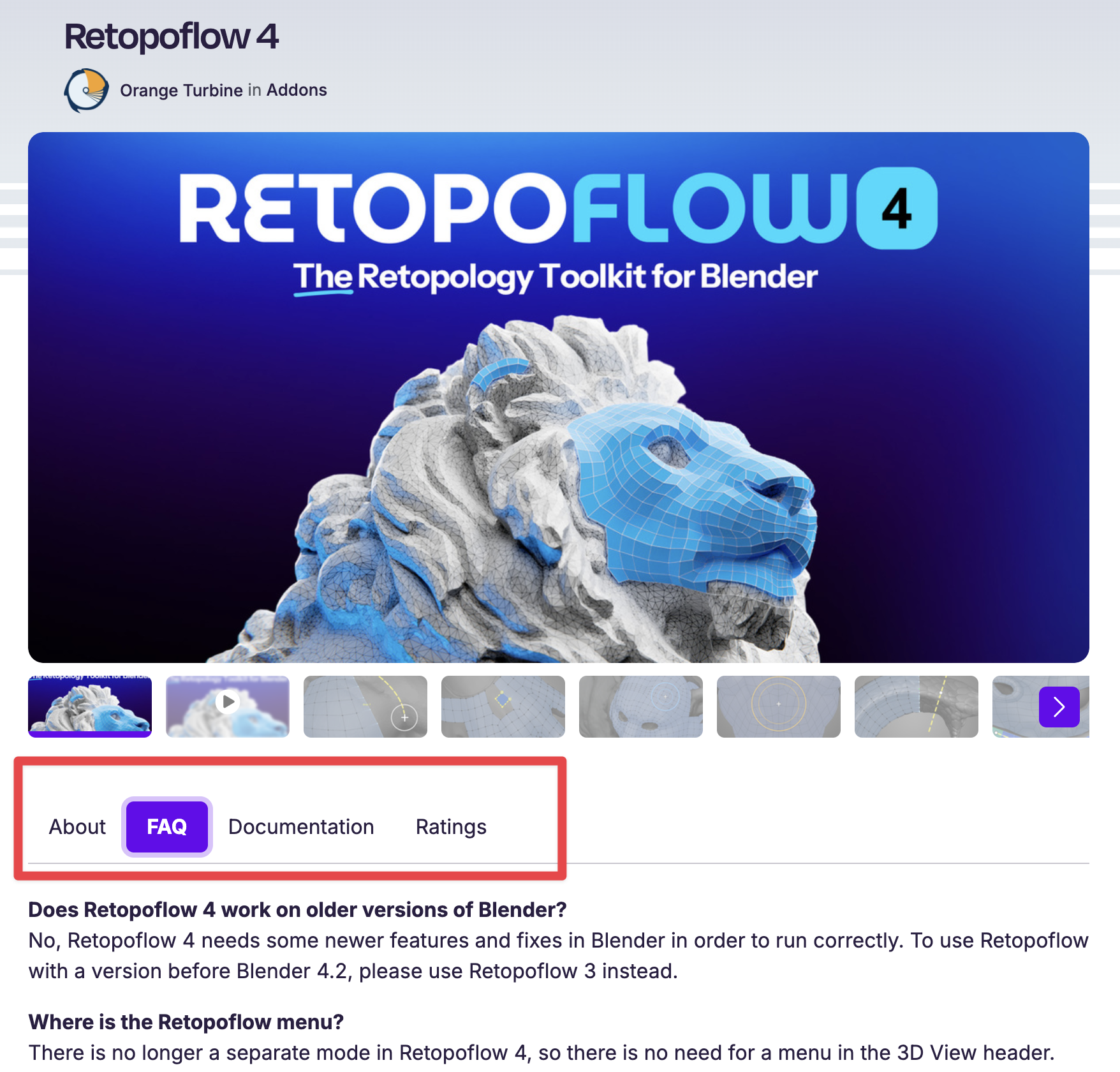
- Check the product FAQ and Documentation tabs. These can be found on the product homepage. These links often contain getting started tips, troubleshooting steps, and helpful links.
- Contact the creator for support. If you encounter issues with the product, contact the product creator for assistance. This allows the creator an opportunity to fix the problem and get the product working for you. You can do this by using the Message Support button found on every product page
How to Leave a Review

Step 3: Submit Your ReviewYour review has two required parts:
- Star rating (1-5 stars)
- Written comment describing your experience
Who Can Review a Product
Reviews on Superhive come only from people who bought the product, so you can trust that every rating is from a real customer. You can rate a product if:
- You have a completed order for the product, and
- That order hasn't been refunded.
Free products count too: if you got a product through a free ($0) order, you can rate it like any other purchase. The one exception is a copy that was free only because of the product creator's own coupon or sale. Those copies can't be rated.
You can leave one review per product. If you've already reviewed a product, you won't be able to add a second one. You can't edit or delete a review once it's posted, so take a moment to get it right. If you need a review changed or removed, contact us at [email protected].
A product's own creator and its collaborators can't rate it. Ratings that don't meet these rules aren't counted in a product's average rating or in how products are ranked.
Creator Replies
The product's creator can reply once to each review. Their reply appears with your review on the product's Ratings tab, and we'll email you when the creator replies.
Use Product Support (the button in the product page sidebar) when you:
- Have questions about installation or setup
- Need help troubleshooting a problem
- Want to report a bug
- Need technical assistance
- Share your overall experience with the product
- Highlight features you appreciated
- Describe what could be improved
- Help other customers make informed decisions
Why Leave a Review?
Reviews can showcase your expertise. Detailed, constructive reviews establish you as a knowledgeable contributor to the Blender community. When you share thoughtful feedback, others will look to your reviews when making their own decisions.
Reviews are most valuable when they're honest and specific. Whether your experience was positive or negative, we welcome your genuine feedback. However, to maintain a respectful community, certain types of content are not acceptable in reviews:
- Obscene, hostile, or threatening language
- Personal attacks on creators or other users
- Content that violates our community guidelines (see sections 2 & 3 of our Customer Policy)
- Spam or promotional content unrelated to the product
- Content related to the Superhive platform/policies and other issues not related to the product or outside the creator's control
Ratings and reviews should never be used as a tool for retaliation against a creator or as a threat if they don’t do what you want them to do.
When you're frustrated: We understand that technical issues can be aggravating. If you're unhappy with a product, we encourage you to be direct about the problem while keeping your language respectful. Describe what went wrong, what you expected, and how it fell short. This type of honest, specific feedback helps both creators and other customers far more than venting frustration.